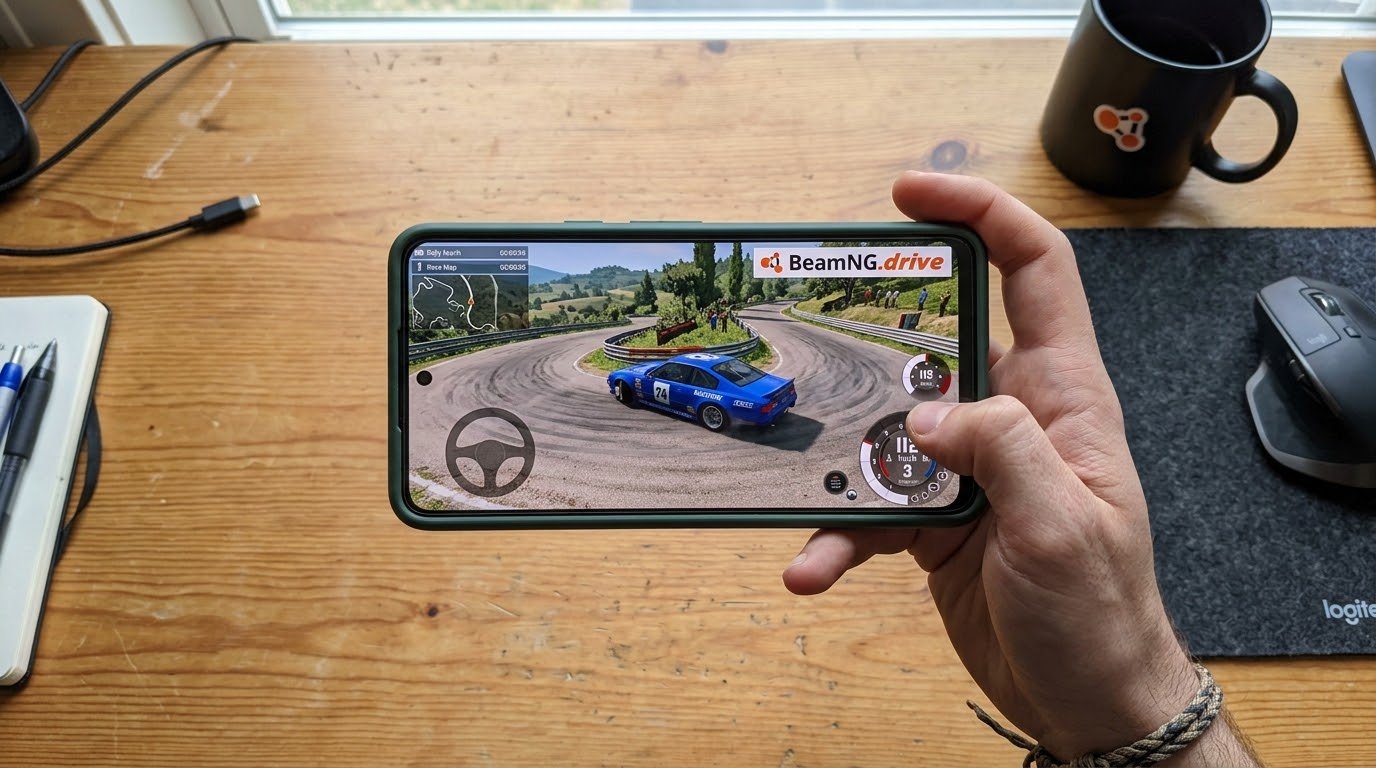
I was stuck at my sister’s place last winter with nothing but my phone and a painfully slow evening ahead of me. She’d been watching me play BeamNG.drive on my PC the week before mostly me driving cars into walls at increasing speeds, which is basically the whole appeal and she asked, half-joking, “can’t you just play that thing on your phone right now?”
I said probably not. Then I actually checked. Turns out I was wrong.
BeamNG.drive is a soft-body physics driving simulator, the kind of game where every crash actually deforms the car realistically instead of just playing a canned animation. It’s a beast of a PC game, built to lean on a decent graphics card. So my gut reaction was that mobile just wasn’t happening. But there’s a real way to do it, and I ended up testing it properly over the following weeks.
The Truth: There’s No Real Mobile Port
Let’s get the disappointing part out of the way first. BeamNG GmbH, the studio behind the game, has not built a native Android or iOS version. There’s no BeamNG app icon waiting for you in the Play Store. Anyone telling you otherwise, or pointing you toward some random “BeamNG Mobile APK,” is not being straight with you.
I’ve seen a few of these floating around on sketchy download sites, usually low-effort car-crash games with BeamNG’s name borrowed to get clicks. Skip them. They’re not the real thing, and installing random APKs from unknown sites is just asking for trouble on your phone.
The actual way to play real BeamNG.drive on a phone is cloud gaming, and once I tried it properly, it honestly worked better than I expected.
How Cloud Gaming Makes This Possible
Cloud gaming works differently than a normal mobile game. Instead of the game running on your phone’s hardware, it runs on a powerful remote computer, and your phone just displays the video feed while sending your taps and controller inputs back to it. Same concept as streaming a movie, except you’re steering a car through it in real time.
This matters a lot for a game like BeamNG, because the soft-body physics engine needs real horsepower to calculate all those deformations and collisions accurately. Your phone doesn’t have to do any of that heavy lifting the cloud server does, and your phone just needs a decent internet connection.
GeForce Now, Nvidia’s cloud gaming service, is the one I actually tested this on, and it’s currently the most straightforward route. BeamNG.drive is in their supported game library, which isn’t true for every title plenty of games simply aren’t available on cloud services due to licensing or technical restrictions, so I was genuinely relieved to find this one was.

Step-by-Step: How I Got It Running on My Phone
Here’s exactly what I did, in order:
- Signed up for a GeForce Now account — there’s a free tier, but I ended up on a paid membership tier for longer session times and better streaming quality, since the free tier kept kicking me into queues.
- Installed the GeForce Now app on my Android phone from the Play Store (iPhone users can use the browser-based version through Safari, since Apple doesn’t allow the native app in their store the same way).
- Linked my Steam account, since that’s where I already owned BeamNG.drive.
- Opened the app, searched for BeamNG.drive in the library, and hit play.
- Waited through a short queue (a couple minutes during a weekday afternoon, longer on a weekend evening).
- Once it loaded, I was staring at the actual PC version of the game, running on my phone screen.
That first launch genuinely surprised me. It wasn’t a stripped-down version or a reskin, It was the same game I play on my desktop, physics and all.
What It Actually Feels Like to Play
I’ll be honest about the rough edges, because I don’t think it’s fair to pretend this is flawless.
Touch controls are workable but not ideal. GeForce Now overlays virtual buttons and a steering control on your screen. For basic driving around, it’s fine. For precise stunts or tight maneuvering, my thumbs kept getting in the way of seeing the road.
A controller fixes almost everything. I paired a Bluetooth controller with my phone before my second session, and it completely changed the experience. Steering felt natural, throttle control was way more precise, and I stopped accidentally crashing into things I was trying to avoid.
WiFi is basically mandatory. I tried this once on mobile data just to see what would happen, and the stream turned into a blurry, stuttering mess within a minute. On home WiFi, it ran smoothly, comparable to watching a decent-quality YouTube video, just interactive.
Session limits matter. Depending on your GeForce Now plan, you get capped session lengths, free tier sessions kick you out after a set time and put you back in a queue. I hit this a few times mid-crash-test and had to relaunch, which was mildly annoying but not a dealbreaker.

Common Mistakes to Avoid
Assuming any cloud service will have it. Not every cloud gaming platform carries every game. I wasted twenty minutes checking a different service before confirming BeamNG was actually listed there. Always check the specific platform’s game library before signing up.
Playing over weak WiFi or public hotspots. Cafe WiFi with a dozen other people on it is not going to give you a smooth stream. I learned this after a genuinely embarrassing session at a coffee shop where the game froze mid-jump for what felt like an eternity.
Skipping the controller and blaming the game. If your driving feels sloppy on touch controls, that’s expected, not a sign something’s broken. Grab a cheap Bluetooth controller before writing off the experience.
Falling for fake mobile APK downloads. I’ll say it again because it’s worth repeating there is no legitimate standalone BeamNG app for Android or iOS. If a link is offering you one directly, it’s not the real game.
Forgetting you still need to own the game. Cloud gaming through the “bring your own game” method, which is what GeForce Now primarily uses for this title, requires you to already own BeamNG.drive on a linked store account like Steam. It’s not a free-to-stream title bundled into your subscription automatically.
Is It Actually Worth Doing?
For me, yes, with a fair caveat. It’s not going to replace playing BeamNG on an actual PC with a mouse and keyboard sitting a foot from a monitor. But for killing time on a couch, testing out a build while away from your main setup, or just showing a friend what the game’s about without dragging your PC anywhere, it does the job well.
The setup takes maybe fifteen minutes the first time, and after that it’s just opening an app and picking up where you left off. If you already own the game on Steam, there’s genuinely no reason not to try the cloud route at least once.
Final Thoughts
I went into this expecting a workaround full of compromises, and came out of it fairly impressed. BeamNG.drive was never built with phones in mind, and it shows in small ways the touch controls, the session limits, the WiFi dependency. But the core experience, the actual physics and destruction that makes the game worth playing in the first place, comes through completely intact.
If you’re chasing a real mobile version sitting in an app store, that’s not happening any time soon. But if you’re fine streaming it instead, grab a controller, get on solid WiFi, and give GeForce Now a shot. It’s the closest thing to real BeamNG in your pocket that actually exists right now.